I Built a Google Analytics Alternative for WordPress Because Analytics Should Not Require a PhD
There was a moment, sometime in 2023, when Google Analytics 4 forced every website owner to migrate from the Universal Analytics they had used for years to a completely new interface with a completely new data model and a completely new set of terminology for concepts that had not previously needed new terminology. Sessions became events. Pageviews became screen views or page views depending on context. The familiar dashboard with its clean left sidebar navigation was replaced by an interface that seemed designed for data scientists rather than the WordPress site owners who make up the vast majority of people tracking website traffic. The migration was not optional. Universal Analytics was being shut down, and the replacement was GA4 whether you wanted it or not.
The frustration was not about change itself. Software evolves, interfaces improve, and learning new tools is part of operating on the internet. The frustration was about the direction of the change. GA4 made simple things complicated. Finding out how many people visited your site yesterday required navigating through a reporting interface that defaulted to engagement metrics, event counts, and data streams rather than the straightforward session count that most site owners actually want. Creating a basic report that would have taken two clicks in Universal Analytics now involved configuring explorations, selecting dimensions, and applying filters through an interface that assumed fluency in data analytics concepts that most WordPress bloggers, small business owners, and portfolio site operators have no reason to possess.
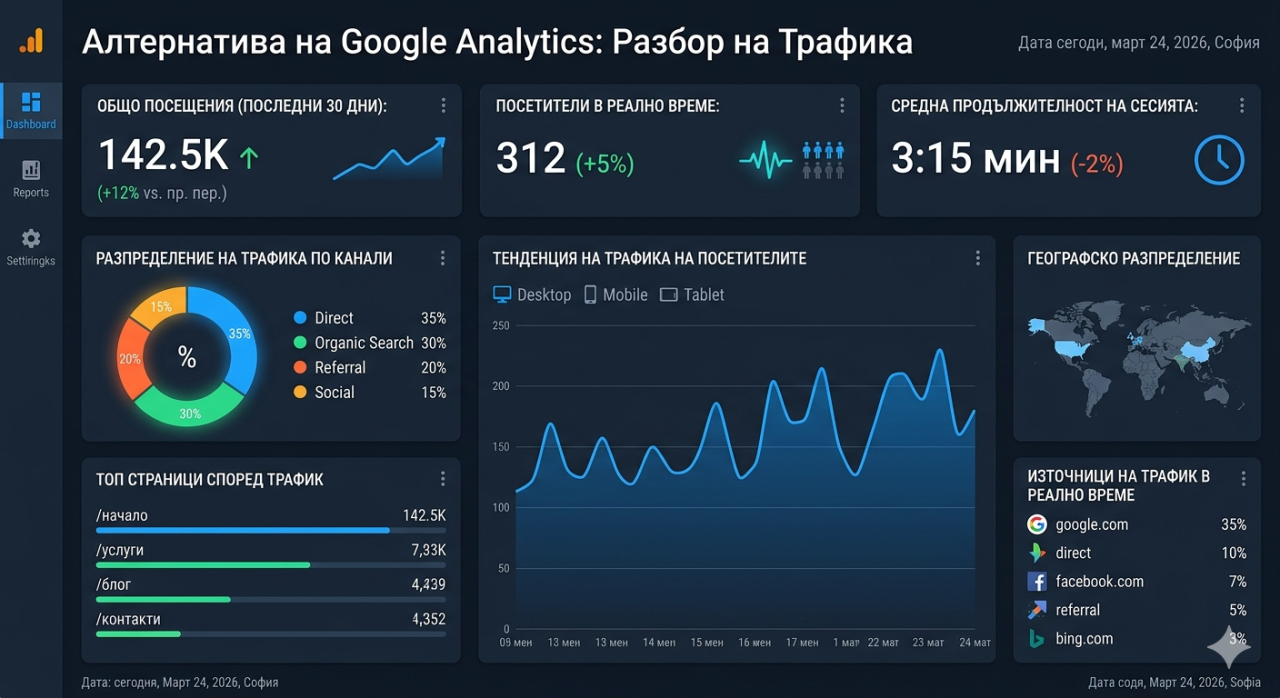
The Website Analytics by YEB plugin was born directly from this frustration. Not as a theoretical product designed to capture market share, but as a practical tool built because the existing options had collectively failed at their most basic job: telling a website owner what is happening on their site in language they can immediately understand. The plugin does not try to compete with GA4 on features. It does not offer machine learning insights, predictive audiences, or BigQuery integration. It shows sessions, pages, referrers, countries, and devices on a single dashboard that loads fast and makes sense the moment you look at it.
What Most Site Owners Actually Need From Analytics
After spending years building and operating websites of various sizes, a pattern becomes clear in what information actually drives decisions for the typical site owner. They want to know how many people visited today, this week, and this month. They want to know which pages are the most popular. They want to know where visitors are coming from, both geographically and in terms of referring websites or search engines. They want to know what devices and browsers visitors use, primarily to confirm that the site works well on mobile. And they want this information presented in a way that does not require thirty minutes of configuration before the first useful number appears on screen.
That is the entire list for probably ninety percent of WordPress site owners. Not conversion funnels. Not custom event tracking. Not user flow visualizations. Not attribution modeling across multiple marketing channels. These are powerful features that large e-commerce operations and marketing teams genuinely need, and GA4 serves that audience well. But the blogger who posts three times a week and wants to know if anyone is reading does not need attribution modeling. The freelance photographer whose portfolio site gets a few hundred visits a month does not need BigQuery exports. The local restaurant whose WordPress site primarily displays a menu and hours does not need event streaming.
The plugin was designed around this understanding. The dashboard presents five panels: sessions over time, top pages, referrer sources, visitor countries, and device types. Each panel updates in real time as new visits are recorded. The time range selector at the top lets you switch between today, this week, this month, and custom date ranges. There is no configuration wizard that asks you to define data streams and measurement IDs before anything works. Install the plugin, activate it, and the dashboard starts showing data from the first visit forward. The simplicity is deliberate and unapologetic, because complexity should be earned through genuine need rather than imposed by default.
Privacy as a Feature Rather Than a Compliance Headache
The privacy landscape for website analytics has become increasingly complex, with GDPR, CCPA, and various national regulations creating a patchwork of requirements that make traditional analytics tools legally risky in some jurisdictions. Google Analytics, in particular, has faced multiple legal challenges in European countries over data transfers to US servers and the use of cookies for cross site tracking. Several EU data protection authorities have issued opinions declaring GA4 installations non compliant with GDPR unless specific additional safeguards are implemented.
The WordPress analytics plugin sidesteps most of these concerns through its architecture. Visit data is processed through APIs that do not rely on third party cookies, do not build cross site user profiles, and do not transfer browsing history to advertising networks. The data serves one purpose: showing the site owner what is happening on their site. There is no secondary use, no data brokering, and no advertising ecosystem feeding off the collected information. For site owners who have been nervously watching the evolving regulatory landscape and wondering whether their analytics setup will trigger a compliance issue, this architecture provides a level of confidence that cookie dependent tools cannot match.
This does not mean the plugin is immune from all privacy considerations. Any tool that records visitor information, even aggregated and anonymized information, should be disclosed in a site's privacy policy. But the disclosure is straightforward because the data usage is straightforward. There is no labyrinthine chain of data processors, sub processors, and advertising partners to enumerate. The data comes in, gets displayed on the dashboard, and that is where its journey ends.
The Dashboard That Loads in Under a Second
Performance was a non negotiable design requirement from the beginning. WordPress site owners are accustomed to admin pages that load quickly, and an analytics dashboard that takes five or ten seconds to render its charts is a dashboard that gets visited once and then forgotten. The plugin's dashboard renders in under a second on a typical WordPress hosting environment, including all charts, tables, and summary statistics. This speed is possible because the data aggregation happens on the API side rather than in the WordPress admin panel itself, and the frontend uses lightweight chart rendering that does not require heavy JavaScript libraries.
The technical architecture routes tracking data through a lightweight JavaScript snippet that fires on each page load, sending the visit information to the backend for processing. The snippet is small enough that it adds negligible load time to the frontend, which matters for site owners who are conscious of their Core Web Vitals scores and do not want an analytics tool degrading their PageSpeed Insights results. The tracking script has been tested across all major browsers and does not conflict with common WordPress plugins, caching layers, or CDN configurations.
The dashboard itself is built as a native WordPress admin page that follows WordPress UI conventions, so it feels familiar to anyone who has spent time in the WordPress admin panel. The charts use clean, responsive visualizations that work on desktop monitors and tablet screens alike. Data tables are sortable and filterable without requiring page reloads. The entire experience is designed to get a site owner from question to answer in the minimum possible time, because the value of analytics is not in the tool itself but in the decisions it enables.
Who This Plugin Is For and Who It Is Not For
Honesty about the target audience is important because no analytics tool serves everyone equally well. This plugin is built for WordPress site owners who want straightforward traffic analytics without complexity, configuration overhead, or privacy compliance anxiety. It excels for bloggers, portfolio sites, small business websites, membership sites that want to understand their traffic patterns, and anyone who has looked at GA4 and felt overwhelmed by the gap between what they need and what the interface demands they learn.
The plugin is not built for enterprise marketing teams that need multi touch attribution across paid and organic channels. It is not built for e-commerce operations that need detailed conversion funnel analysis with revenue tracking and product performance metrics. It is not built for data teams that need raw event streams piped into data warehouses for custom analysis. These are legitimate needs that require tools built specifically for them, and pretending that a simple analytics plugin can serve those needs would be dishonest.
The gap between what most site owners need and what enterprise analytics tools provide is enormous, and that gap is exactly where this plugin lives. It fills the space between "no analytics at all" and "GA4 with its full complexity," offering a middle path that gives site owners the information they actually use while sparing them the information they do not. For the WordPress ecosystem, where simplicity and accessibility are founding principles, this positioning feels natural rather than limiting. The plugin does less, but it does it in a way that more people can actually use.
Frequently Asked Questions
Is this plugin completely free
The Website Analytics by YEB plugin is free to install and use with basic analytics features. Advanced features that leverage additional APIs like GeoIP city level data or device brand detection are available through optional credit based API usage, so you only pay for the enhanced capabilities you choose to enable.
Does this plugin use cookies to track visitors
The plugin does not rely on third party cookies for tracking. Visit data is recorded based on page load events without building persistent cross site user profiles, which simplifies privacy compliance for site owners operating under GDPR, CCPA, and similar regulations.
Can this plugin replace Google Analytics entirely
For site owners who primarily need session counts, page popularity, referrer sources, geographic data, and device breakdowns, yes. For site owners who rely on GA4's advanced features like conversion funnels, audience segments, predictive metrics, or BigQuery integration, this plugin covers the basics while GA4 handles the advanced use cases.
Does the tracking script affect page load speed
The tracking snippet is lightweight and loads asynchronously, meaning it does not block page rendering. Impact on Core Web Vitals scores is negligible, and the script has been tested to confirm it does not interfere with PageSpeed Insights performance metrics.
How far back does the analytics data go
Data collection begins the moment the plugin is activated and continues indefinitely. Historical data from before installation is not available because the plugin can only record visits that occur after its tracking script is present on the site.
Does the plugin work with caching plugins like WP Super Cache or W3 Total Cache
Yes. The tracking is handled through a JavaScript snippet that executes in the visitor's browser, which means it functions correctly even when the HTML page itself is served from cache. Caching plugins do not interfere with the analytics data collection.