Translation tools have become indispensable in 2026. With businesses going global, remote teams spanning continents, and content creators reaching audiences in dozens of languages, the ability to translate text quickly and accurately is no longer a luxury - it is a daily necessity.
But not all translation tools are created equal. Some prioritize speed over quality. Others cover hundreds of languages but offer zero control over tone or formality. A few charge premium subscriptions for features that should be standard, while others are completely free but come with privacy trade-offs that most users never consider.
The difference between a good translation and a great one often comes down to context - understanding not just what the words mean, but how they should sound given the audience, industry, and relationship between writer and reader. Most tools ignore this entirely.
This guide evaluates 10 of the best translation tools available in 2026, comparing them across translation quality, language coverage, context control, additional writing features, pricing, and privacy.
In This Article:
YEB Translate - Best Overall Context-Aware Translator ⭐⭐⭐⭐⭐
Google Translate - Best Free General-Purpose Translator ⭐⭐⭐⭐
DeepL - Best for European Language Fluency ⭐⭐⭐⭐
ChatGPT - Best for Conversational Translation ⭐⭐⭐⭐
Microsoft Translator - Best for Enterprise Integration ⭐⭐⭐⭐
Reverso - Best for Contextual Examples ⭐⭐⭐
Apple Translate - Best Built-In Mobile Translator ⭐⭐⭐
Papago - Best for Korean Language Pairs ⭐⭐⭐
iTranslate - Best Mobile Translation Companion ⭐⭐⭐
Yandex Translate - Best for Russian Language Pairs ⭐⭐⭐
10 Best AI Translation Tools in 2026
From free consumer tools to context-aware platforms with integrated writing features, the translation market offers something for every need and budget. Each tool below was tested across multiple language pairs, content types, and use cases. Here are the top 10.
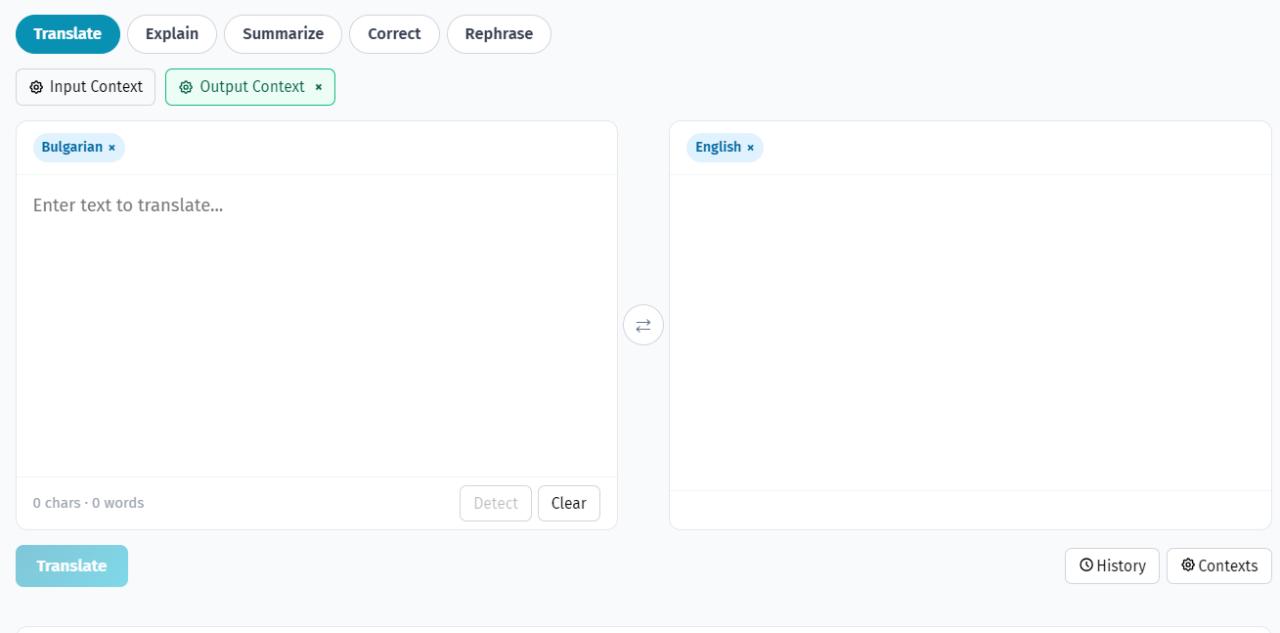
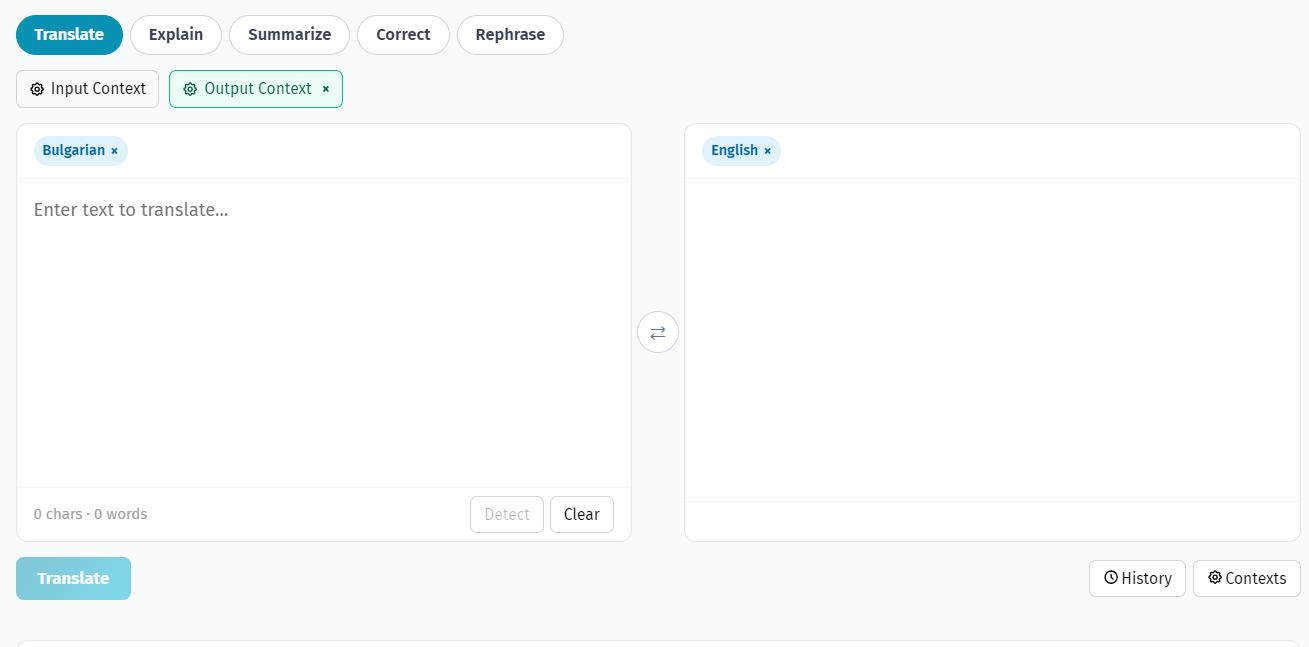
🌐AI Translator
Translate, rephrase, correct, and explain text in 105+ languages. Multi-target translation, custom contexts, and selection actions.
#1 YEB Translate: Best Overall Context-Aware Translator (5/5)
⭐⭐⭐⭐⭐
YEB Translate is the only translation tool in 2026 that gives users full control over how their text is translated - not just what language it's translated into. While every other tool on this list produces a single "best guess" translation, YEB Translate lets you shape the output through 10 context categories that determine tone, formality, industry terminology, audience, and more.
The platform supports over 100 languages with automatic detection and pairs translation with a complete writing toolkit: grammar correction, rephrasing, text explanation, summarization, and context-aware synonyms. All tools share the same context settings, creating a unified workspace where you translate text, fix its grammar, and adjust its tone without switching between different apps.
Key Features:
10 Context Categories: Industry, audience, formality, tone, content type, gender preference, regional variant, terminology, output format, and length preference. Each shapes how the translation engine processes your text.
100+ Language Support: Automatic language detection with broad coverage across European, Asian, African, and Middle Eastern languages.
Integrated Grammar Checking: Fix grammar errors in any of the 100+ supported languages - not limited to English like most competitors.
Rephrasing Engine: Rewrite translated text in different tones - formal, casual, persuasive, empathetic - while preserving the original meaning.
Text Explanation: Break down complex passages into simple, easy-to-understand language. Useful for technical, legal, or academic text.
Context-Aware Synonyms: Find alternative words that fit your specific context, not just dictionary equivalents.
Developer API: Clean REST endpoint at api.yeb.to with context parameters, auto-detection, and structured JSON responses.
Pros:
Only translator with full context control - 10 categories that shape every translation
Pay-per-use pricing at ~$0.003/request - no subscription required
Privacy-first: text is processed and discarded immediately
Developer API with context parameters for application integration
Browser-based workspace that works on any device
Cons:
No voice or camera translation (text-focused)
No offline mode - requires internet connection
No native mobile app (responsive web app works on mobile browsers)
What Users Say:
"I translate business emails in 4 languages daily. Setting my context to 'business, formal, professional' once and having every translation respect those settings saves me from rewriting half the output. No other tool does this." - International Business Consultant
#2 Google Translate: Best Free General-Purpose Translator (4/5)
⭐⭐⭐⭐
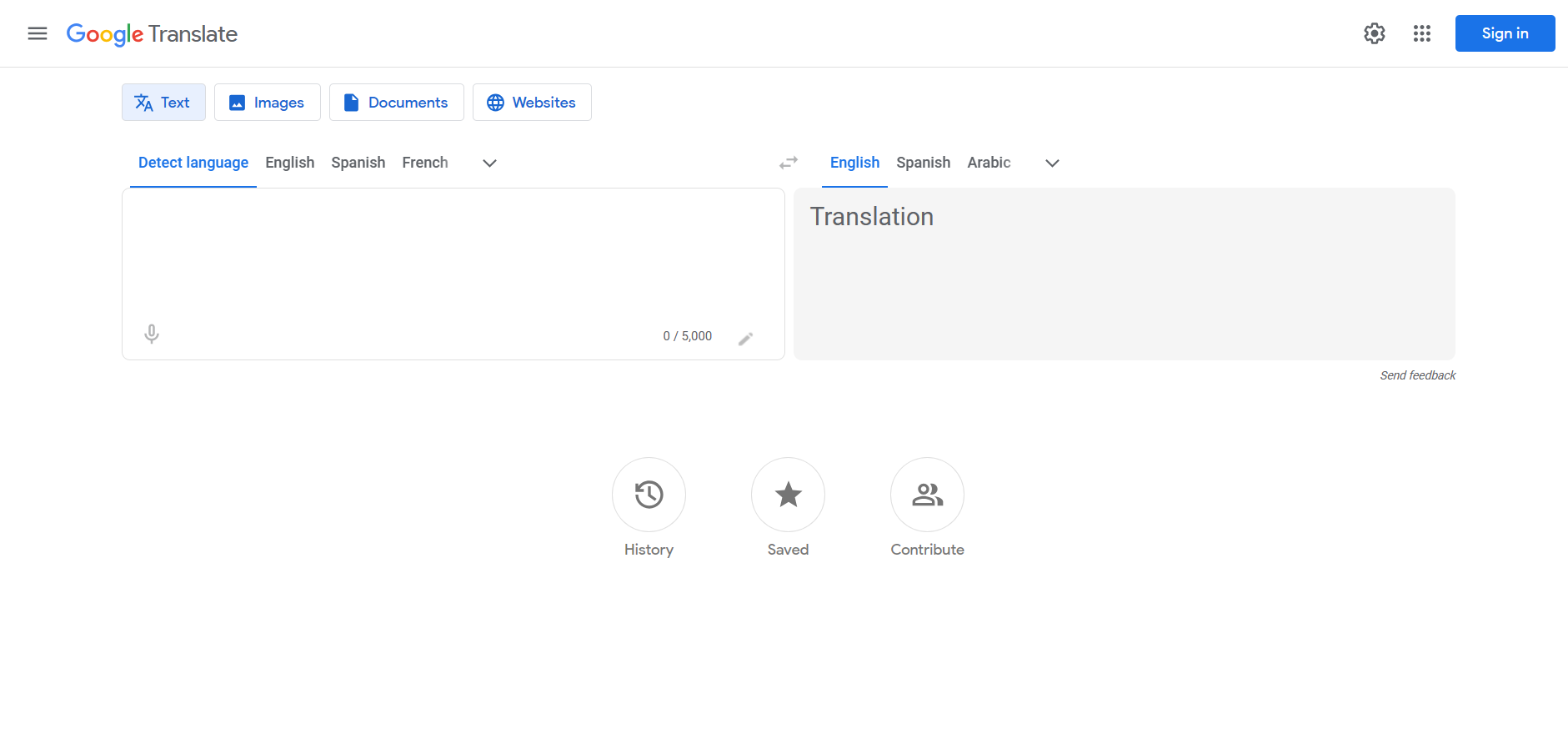
Google Translate remains the world's most widely used translation tool, and for good reason. It's free, fast, supports 133 languages, and is integrated into Chrome, Android, Gmail, and virtually every Google product. For quick, casual translations - understanding a menu abroad, getting the gist of a foreign article, or having a basic conversation - it's unbeatable in convenience.
The neural machine translation engine produces decent quality for common European language pairs and handles CJK languages reasonably well. The ecosystem integration is Google's strongest advantage: right-click to translate in Chrome, auto-translate emails in Gmail, point your camera at foreign text on Android, or download language packs for offline use while traveling.
Where Google Translate falls short is in translation control and quality consistency. It produces a single translation with no way to influence tone, formality, or domain vocabulary. The same engine translates a legal contract and a casual text message identically. Quality varies dramatically across language pairs - excellent for Spanish-English, mediocre for many African and Southeast Asian languages.
Pros:
Free unlimited usage with no account required for web interface
133 languages - the widest coverage of any translator
Camera, voice, and handwriting translation on mobile
Offline mode with downloadable language packs
Deep integration with Chrome, Android, Gmail, and Google Docs
Cons:
No context control - zero influence over tone, formality, or terminology
No grammar checking, rephrasing, or writing tools
Translation quality varies significantly across language pairs
Privacy concerns - data may be used to improve Google's models
Generic output that doesn't adapt to professional or domain-specific needs
What Users Say:
"Google Translate is my go-to for quick lookups and understanding foreign content. But whenever I need a translation for a client email or business document, I need something that understands formality levels - Google just gives one version and hopes for the best." - International Marketing Manager
#3 DeepL: Best for European Language Fluency (4/5)
⭐⭐⭐⭐
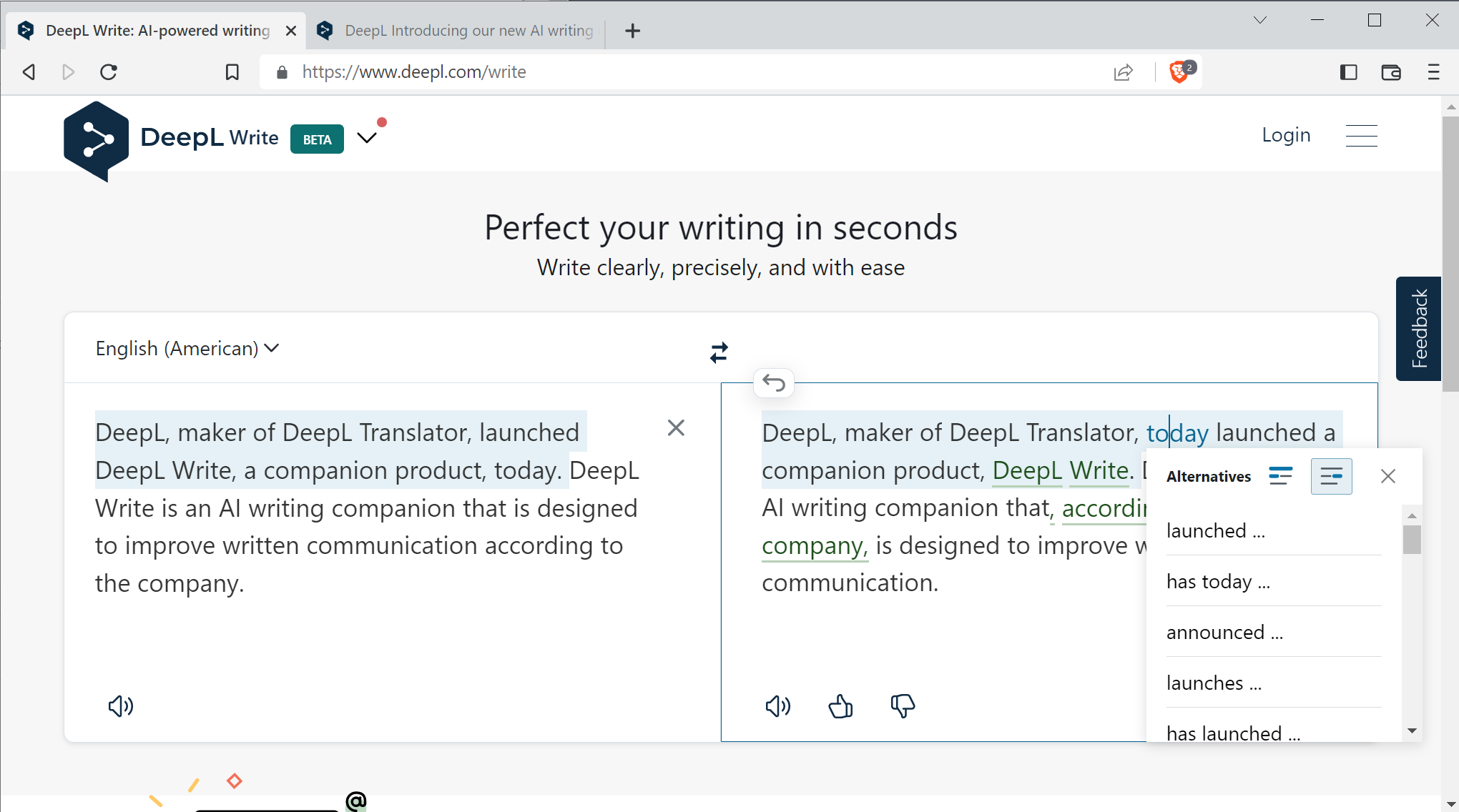
DeepL has earned its reputation as the translator that produces the most natural-sounding output for European languages. Since launching in 2017, it has been the go-to choice for users who find Google Translate too literal and need translations that "sound right." The neural engine genuinely produces more fluent results for language pairs like English-German, English-French, and English-Spanish.
DeepL Pro adds document translation (upload PDFs, Word files, PowerPoint), a glossary feature for consistent terminology, and basic formality settings (formal/informal) for some language pairs. The desktop app offers a convenient keyboard shortcut for translating from any application.
The biggest limitation is language coverage: only 33 languages. No Arabic, no Hindi, no Thai, no Vietnamese, no Turkish, no Swahili. For users working with languages outside DeepL's European focus, it simply doesn't exist as an option. The subscription pricing ($8.74+/month) also makes it expensive for occasional users.
Pros:
Best-in-class fluency for European language translations
Document translation for PDF, Word, and PowerPoint files
Glossary feature for custom terminology consistency
Basic formal/informal toggle for some language pairs
Desktop app with system-wide translate shortcut
Cons:
Only 33 languages - missing Arabic, Hindi, Thai, Turkish, and most non-European languages
Subscription required ($8.74/month) for full features - free tier is restrictive
No grammar checking, rephrasing, or writing tools
Limited context control beyond basic formality toggle
Free tier caps at 1,500 characters per request
What Users Say:
"DeepL produces the most natural German translations I've found. But the moment I need Arabic or Thai, I have to switch tools entirely. And I wish I could tell it more about the context - formal/informal is a start, but I need industry-specific and audience-specific control." - Localization Specialist
#4 ChatGPT: Best for Conversational Translation (4/5)
⭐⭐⭐⭐
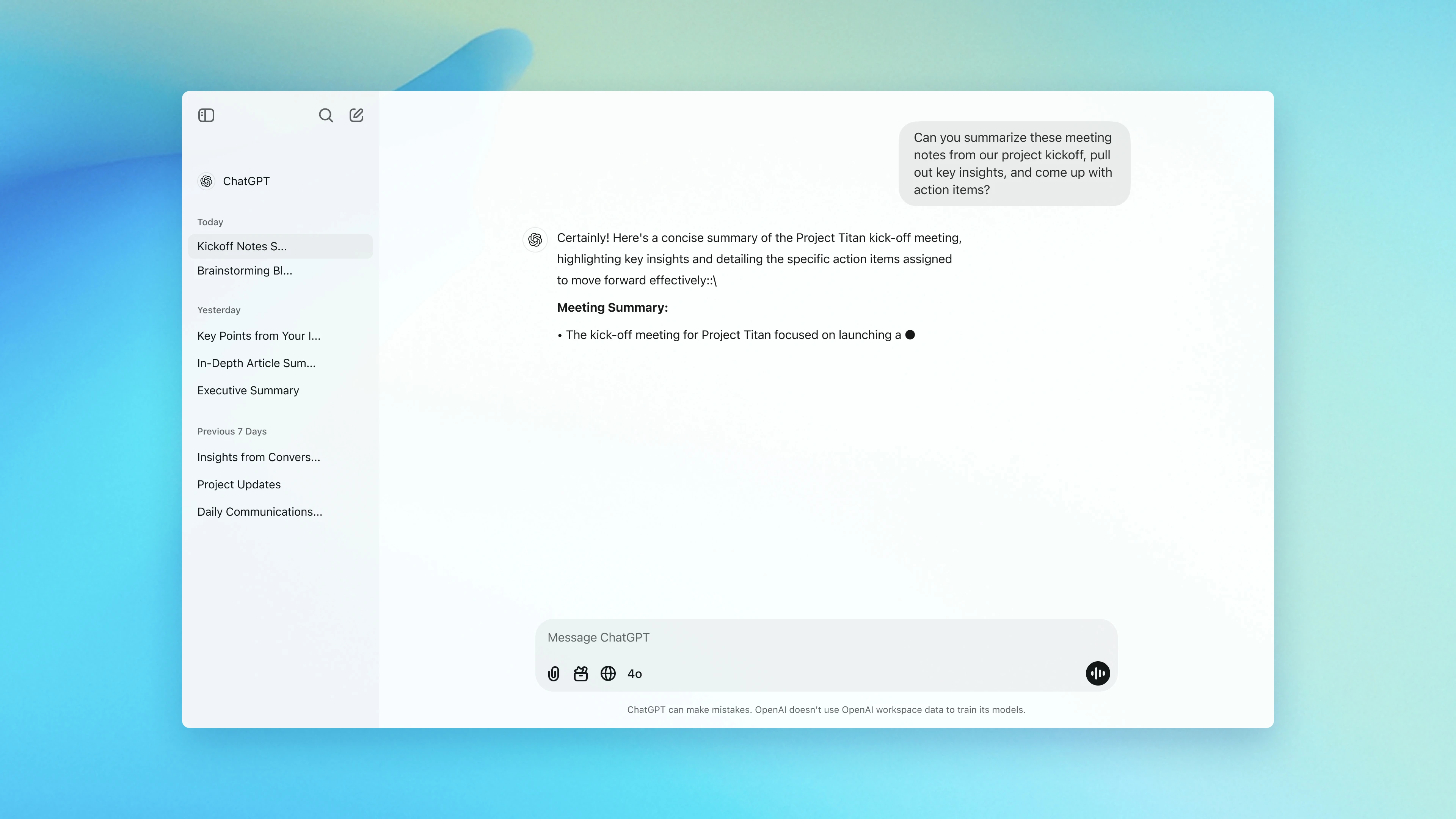
ChatGPT has become many people's default translation tool, and the results can be impressive. GPT-4's language understanding often produces translations that capture nuance, idiom, and cultural context better than traditional translation engines. You can ask follow-up questions about word choices, request alternative translations, and have a genuine conversation about the best way to express something.
The conversational approach is ChatGPT's unique strength. "Translate this to formal Japanese for a business email to a CEO" is something you can just type, and ChatGPT understands. It can explain cultural nuances, suggest alternatives, and adapt translations based on your feedback in real-time.
The problem is consistency and workflow. Every translation requires a prompt. Settings don't persist between conversations. The same text translated twice may produce different results. And at $20/month for ChatGPT Plus (or $200/month for Pro), it's an expensive translation tool, especially since the subscription covers all ChatGPT features, not just translation.
Pros:
Excellent at capturing nuance, idiom, and cultural context
Conversational follow-ups about word choices and alternatives
Can explain cultural references and translation decisions
Handles creative adaptation and marketing localization well
Understands natural language instructions for context
Cons:
Every translation requires prompt engineering - no persistent settings
Inconsistent output - same text may translate differently each time
Expensive at $20/month subscription (covers all ChatGPT, not just translation)
No dedicated translation interface - it's a chat window
No translation history or organized workflow
Privacy concerns - conversations may be used for training unless opted out
What Users Say:
"ChatGPT gives me the best translations when I take the time to write a detailed prompt. The problem is I have to write that prompt every single time. After the hundredth 'translate this to formal business Japanese,' I wanted a tool that just remembers my preferences." - Content Strategist
#5 Microsoft Translator: Best for Enterprise Integration (4/5)
⭐⭐⭐⭐
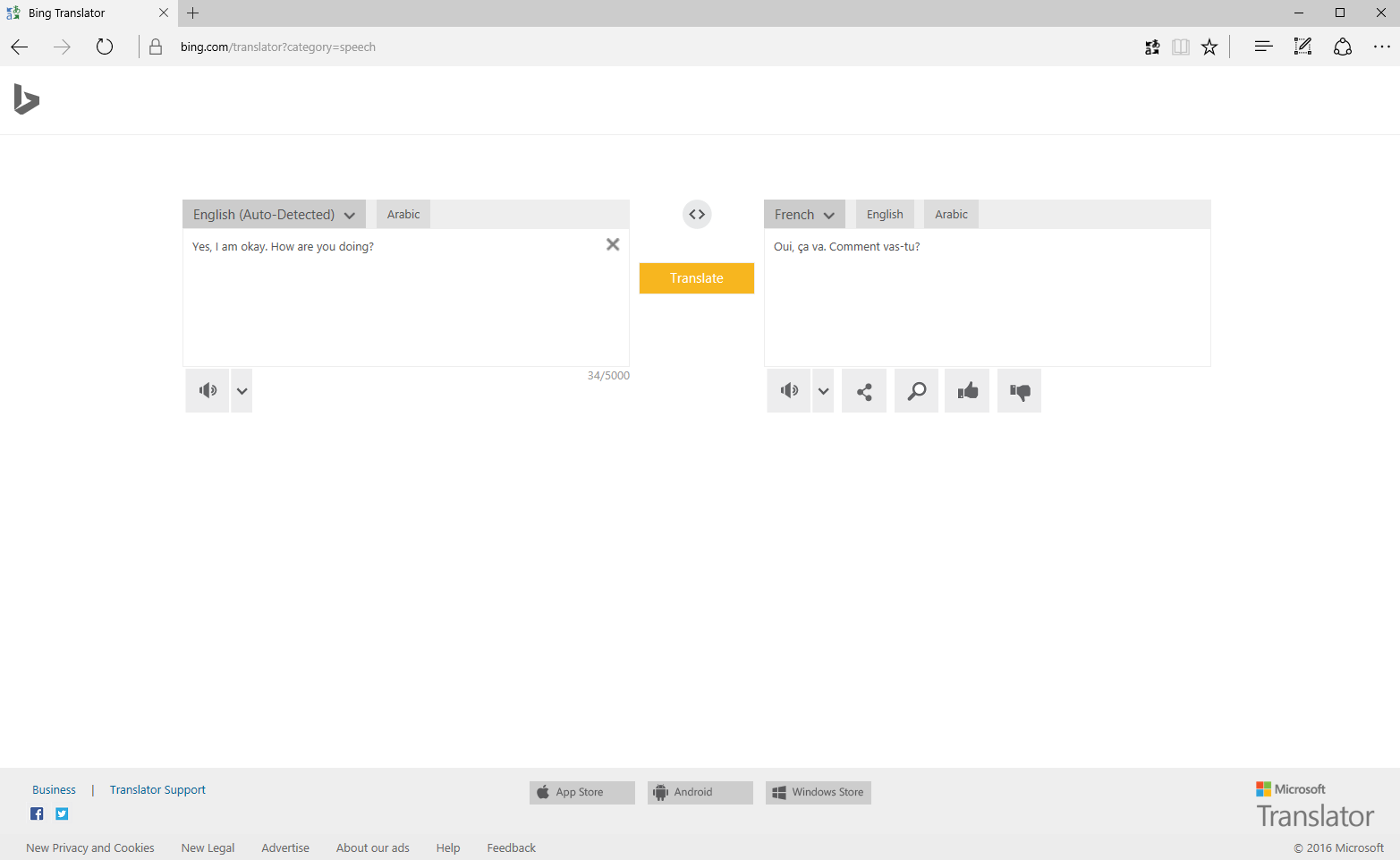
Microsoft Translator fits naturally into the Office 365 ecosystem. Translate an email in Outlook, a document in Word, a presentation in PowerPoint, or a conversation in Teams - all without leaving the app. For businesses already running on Microsoft infrastructure, this seamless integration removes friction from multilingual workflows.
The Azure Cognitive Services API offers enterprise-grade capabilities: real-time speech translation, bulk document processing, and Custom Translator for training models on your own parallel text data. The free tier provides 2 million characters per month, making it generous for development and testing.
The consumer-facing web tool is functional but basic - paste text, select language, get translation. No tone settings, no formality control. The real power requires Azure infrastructure: subscription management, resource provisioning, API key rotation. For an individual user who just needs better translations, this is massive overkill.
Pros:
Deep integration with Office 365, Teams, Edge, and Outlook
Free tier with 2 million characters/month through Azure
Speech-to-speech real-time translation
Document translation for PDF, Word, and PowerPoint
Custom Translator for enterprise terminology training
Cons:
No context or tone control for the consumer tool
No grammar checking or writing tools (separate Microsoft Editor)
API requires Azure account and cloud infrastructure setup
Enterprise-focused - complex and expensive for individual users
Generic one-size-fits-all translation output
What Users Say:
"The Teams integration is fantastic for our international meetings. But when I need a carefully worded translation for a client proposal, Microsoft Translator gives me the same generic output regardless of context. I end up rewriting half of it anyway." - Enterprise Account Manager
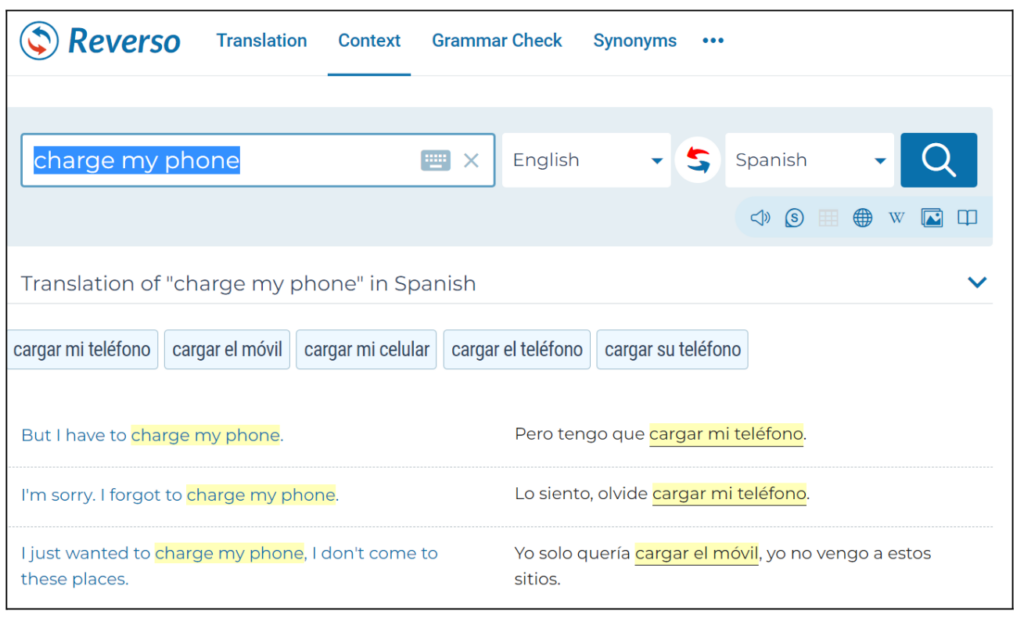
Reverso takes a unique approach to translation by showing real-world contextual examples alongside every translation. Rather than just giving you a result, Reverso shows how native speakers have actually used the same phrase in movies, news articles, and documents. This "Context" feature makes Reverso invaluable for language learners and translators who want to verify their word choices against real usage.
The platform also offers verb conjugation tables, a dictionary, grammar checking (English and French only), and a flashcard-based vocabulary learning system. As a language learning companion, Reverso offers more depth than any other tool on this list.
The limitation is coverage: only 18 languages. That's fewer than any other tool in this roundup. The free experience is also heavily ad-supported, with banner ads and interstitials interrupting the workflow. The premium subscription ($9.99/month) removes ads but doesn't expand the language list.
Pros:
Contextual examples from real-world parallel texts are genuinely useful
Comprehensive verb conjugation for all supported languages
Vocabulary learning system with flashcards
Dictionary with detailed definitions alongside translations
Good for language learning and understanding nuance
Cons:
Only 18 languages - the most limited coverage on this list
Ad-heavy free experience with banner and interstitial ads
Grammar checking only available for English and French
No tone or formality control on translations
No developer API available
No rephrasing or text explanation tools
What Users Say:
"The contextual examples are brilliant for understanding how a phrase is actually used. But 18 languages is a serious limitation - I work with Turkish and Arabic regularly, and Reverso simply doesn't support them." - Language Teacher
#7 Apple Translate: Best Built-In Mobile Translator (3/5)
⭐⭐⭐
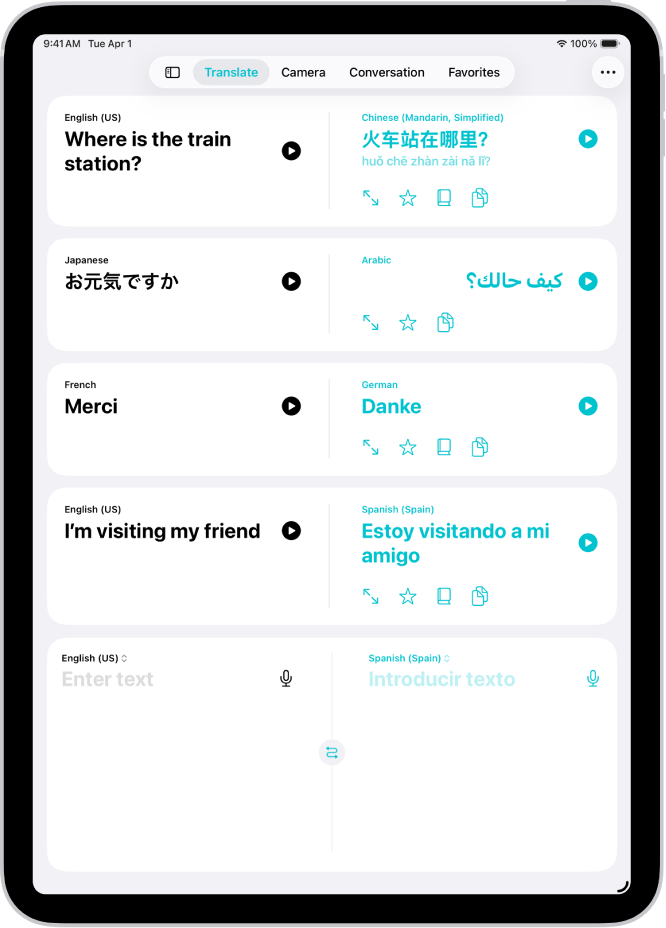
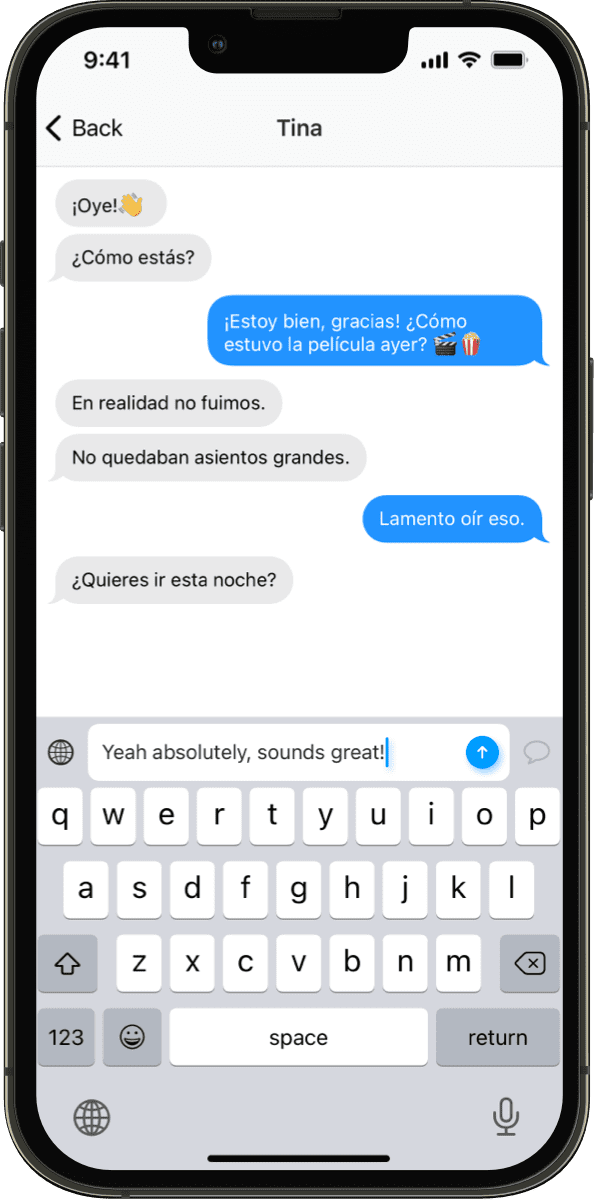
Apple Translate is the friction-free translation option for iPhone, iPad, and Mac users. Highlight text anywhere on your Apple device, tap "Translate," and get an instant result. No app to open, no account to create, no internet required (with downloaded languages). The conversation mode makes face-to-face multilingual chats surprisingly smooth.
The standout feature is on-device processing. When you download a language pack, translations happen entirely on your device - your text never leaves your phone. For privacy-conscious users, this is a genuine advantage that no cloud-based translator can match.
The trade-offs are significant: only 20 languages, Apple devices only, no web version, no API, no context control, and no writing tools. Step outside Apple's ecosystem and the convenience vanishes entirely. For Windows, Android, or Linux users, Apple Translate doesn't exist.
Pros:
System-wide translate-anywhere integration on Apple devices
On-device processing - text never leaves your device (true privacy)
Conversation mode for face-to-face translated chats
Completely free, built-in, no account required
Offline translation with downloaded language packs
Cons:
Only 20 languages supported
Apple devices only - no web, Windows, Android, or Linux
No context, tone, or formality control
No grammar checking or writing tools
No developer API
Cannot be used in cross-platform team workflows
What Users Say:
"The system-wide translation on my iPhone is incredibly convenient for quick lookups. But I can't use it for work since half my team is on Windows, and 20 languages isn't enough for our client base." - Product Manager
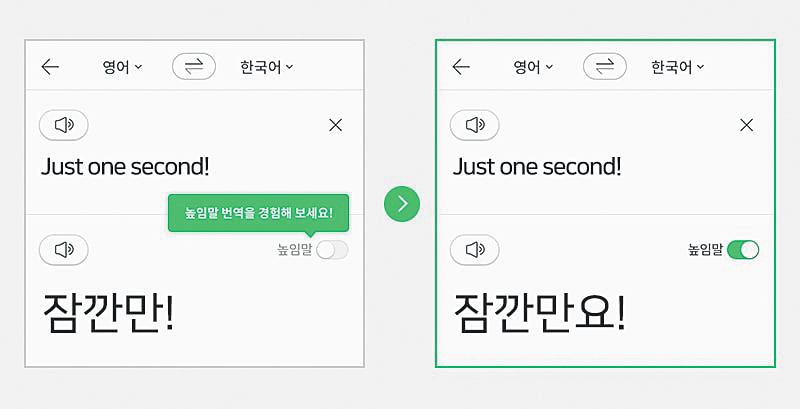
Papago, built by South Korea's Naver, is the gold standard for Korean translation. For Korean-English, Korean-Japanese, and Korean-Chinese translations, Papago consistently outperforms Google Translate and DeepL in naturalness and accuracy. It understands Korean speech levels (honorifics, formal/informal registers) at a level that general-purpose translators cannot match.
The mobile app offers camera translation, voice translation, and offline packs - a solid companion for anyone visiting or living in South Korea. The integration with Naver's dictionary and search ecosystem adds depth for Korean language learners.
Outside its Korean sweet spot, Papago has major gaps. Only 13 languages total - no Arabic, no Turkish, no Greek, no Czech, and minimal coverage beyond major Asian and European languages. The API requires a Naver Cloud Platform account with documentation primarily in Korean, making it difficult for non-Korean developers to integrate.
Pros:
Best-in-class Korean-English, Korean-Japanese, and Korean-Chinese translation
Deep understanding of Korean honorifics and speech levels
Polished mobile app with camera and voice translation
Free web and mobile usage
Integrated with Naver dictionary and search
Cons:
Only 13 languages - extremely limited coverage
Weak quality for non-Asian language pairs
API requires Naver Cloud account with Korean-language docs
No context or tone control
No grammar checking or writing tools
Primarily designed for the Korean market
What Users Say:
"For Korean-English, Papago is unmatched. It handles honorifics and formal speech naturally. But I work with 8 languages, and Papago only covers 3 of them. I use it for Korean and need a different tool for everything else." - K-Content Translator
#9 iTranslate: Best Mobile Translation Companion (3/5)
⭐⭐⭐
iTranslate has been in the mobile translation game since 2009 and has accumulated over 100 million downloads. The app is well-designed and intuitive: open it, speak or type, and get a translation. Voice mode enables basic conversations across languages, and the camera feature translates signs, menus, and documents by pointing your phone at them.
For travelers, iTranslate is a reliable companion. Offline packs mean you can translate without data roaming, the conversation mode handles back-and-forth dialogue, and the phrasebook provides quick access to common travel phrases. The app supports 100+ languages with a polished user experience.
The limitations become clear for professional use. The web interface is an afterthought, there's no desktop workspace for serious translation work, and there are no context controls or writing tools. The subscription pricing ($5.99/month) adds up for what's essentially a mobile translation dictionary.
Pros:
Well-designed mobile app with 100+ million downloads
Voice and camera translation for real-world use
Offline mode with downloadable language packs
Conversation mode for two-way translated dialogue
100+ languages supported
Cons:
Mobile-first - web interface is basic and limited
No context or tone control on translations
No grammar checking, rephrasing, or writing tools
Subscription required for full features ($5.99/month)
No developer API
Not suitable for professional desktop translation workflows
What Users Say:
"iTranslate is perfect for my travels - the offline mode and camera translation have saved me dozens of times. But for my work translations, I need something with context control and a proper desktop interface." - Travel Blogger
#10 Yandex Translate: Best for Russian Language Pairs (3/5)
⭐⭐⭐
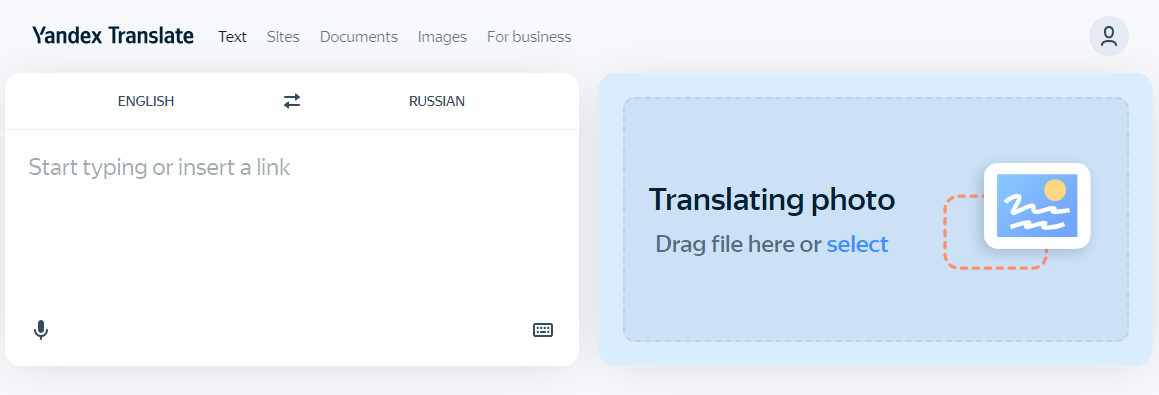
Yandex Translate, built by Russia's largest search engine, delivers excellent translation quality for Russian language pairs. Russian-English, Russian-German, and Russian-French translations often surpass Google Translate in naturalness. The engine understands Russian morphology, case system, and colloquial expressions at a deep level that generalist tools miss.
The platform supports 100+ languages, offers website and image translation, and provides a developer API through Yandex Cloud at competitive pricing. The web interface is clean and functional, and the mobile apps offer camera and voice translation.
The elephant in the room is data jurisdiction. As a Russian company, Yandex operates under Russian data laws. Since 2022, this has become a significant concern for Western businesses and users handling sensitive content. The translation quality is good, but the question of where your text goes and who can access it matters for professional use.
Pros:
Excellent Russian language pair quality - often the best available
100+ languages with competitive quality for common pairs
Free web translation with no usage limits
Website and image translation features
Competitive API pricing through Yandex Cloud
Cons:
Russian data jurisdiction raises privacy and compliance concerns
No context or tone control
No grammar checking or integrated writing tools
API requires Yandex Cloud account
Geopolitical concerns for Western businesses
No formality or domain-specific settings
What Users Say:
"For Russian-English translation, Yandex is the best I've found - it handles Russian idioms and case endings better than Google. But I can't use it for client work anymore due to compliance concerns about Russian data handling." - Eastern European Market Analyst
How to Choose the Best Translation Tool for Your Needs
With so many translation tools available, the right choice depends on your specific requirements. Here are the five most important factors to consider:
Translation Quality vs Speed
Free tools like Google Translate prioritize speed and convenience - paste text, get a result instantly. Context-aware tools like YEB Translate take a more deliberate approach, using your configured settings to produce translations tailored to your specific audience and purpose. For casual understanding, speed wins. For professional communication, quality control matters more.
Language Coverage
Coverage varies dramatically: Papago supports 13 languages, Reverso 18, Apple Translate 20, DeepL 33, and Google Translate 133. If you regularly work with less common languages, check specific support before committing to a tool. Tools with 100+ languages (YEB, Google, iTranslate, Yandex) offer the broadest coverage.
Context Control
Most translators produce a single output with no way to influence tone, formality, or terminology. For personal use, this is fine. For professional communication - business emails, legal documents, medical content, client messages - the ability to specify context dramatically improves translation quality. Currently, only YEB Translate offers comprehensive context categories (10 settings).
Additional Writing Tools
Consider whether you need more than just translation. Grammar checking, rephrasing, text explanation, and synonym finding are common needs that arise alongside translation. Tools that integrate these features (like YEB Translate) eliminate the need to switch between multiple apps. Most competitors offer translation only.
Pricing Model
Translation tools follow three pricing models: free with trade-offs (Google, Apple - limited control, privacy concerns), subscription ($5-25/month - DeepL, iTranslate, ChatGPT), and pay-per-use (~$0.003/request - YEB). Calculate your actual monthly usage before committing to a subscription - occasional users often overpay with monthly plans.
Frequently Asked Questions (FAQ)
What is the best translation tool in 2026?
YEB Translate is the best overall translation tool in 2026 for users who need quality and control. It's the only tool with 10 context categories (tone, formality, industry, audience), integrated grammar checking in 100+ languages, and pay-per-use pricing. For free casual translation, Google Translate remains the most convenient option.
Is there a free translation tool that's actually good?
Google Translate is the best free option - 133 languages, camera translation, offline mode. Apple Translate is excellent if you're in the Apple ecosystem - on-device processing keeps your data private. Both produce generic translations without context control. For quality-focused translation, YEB Translate's pay-per-use pricing starts at ~$0.003 per request.
Which translator is most accurate?
Accuracy depends on the language pair and content type. DeepL leads for European languages. Papago excels at Korean pairs. Yandex is strongest for Russian. For context-aware accuracy across all languages - where the right tone, formality, and terminology matter - YEB Translate produces the most appropriate output because it considers your specific context rather than guessing.
Can translation tools replace human translators?
For many everyday tasks, yes. Business emails, casual communication, content comprehension, and standard documents can be handled effectively by modern translation tools. For published content, legal documents, literary translation, and anything requiring deep cultural adaptation, human translators remain essential - though tools like YEB Translate with context control significantly reduce the gap.
Which translation tool is best for business use?
For enterprise integration, Microsoft Translator wins with its Office 365 and Teams connectivity. For translation quality and control, YEB Translate's context system ensures professional tone and terminology. For budget-conscious businesses, YEB's pay-per-use model avoids expensive per-seat subscriptions. The right choice depends on whether your priority is ecosystem integration or translation quality.
Do translation tools keep my data?
Privacy varies significantly. Apple Translate (on-device) and YEB Translate (process and discard) are the most privacy-focused. Google uses data to improve its models. ChatGPT stores conversations unless you opt out. Yandex operates under Russian data jurisdiction. For sensitive business, legal, or medical content, check each tool's privacy policy carefully.
What is the cheapest translation tool for regular use?
Google Translate and Apple Translate are free. For paid tools with better quality control, YEB Translate at ~$0.003/request is the most affordable - 500 translations cost about $1.50. DeepL starts at $8.74/month, iTranslate at $5.99/month, and ChatGPT Plus at $20/month. Pay-per-use pricing is consistently cheaper for moderate usage.